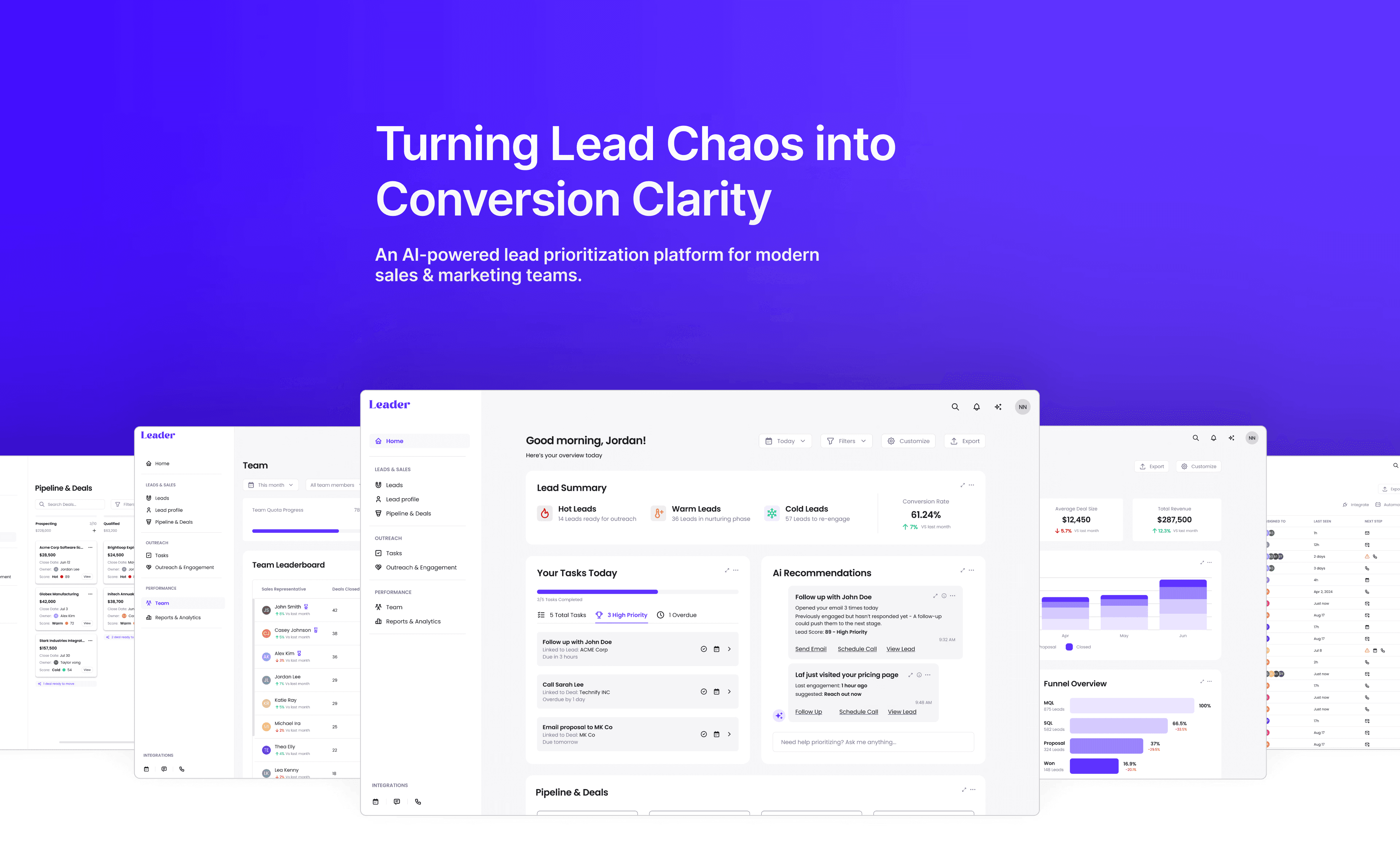
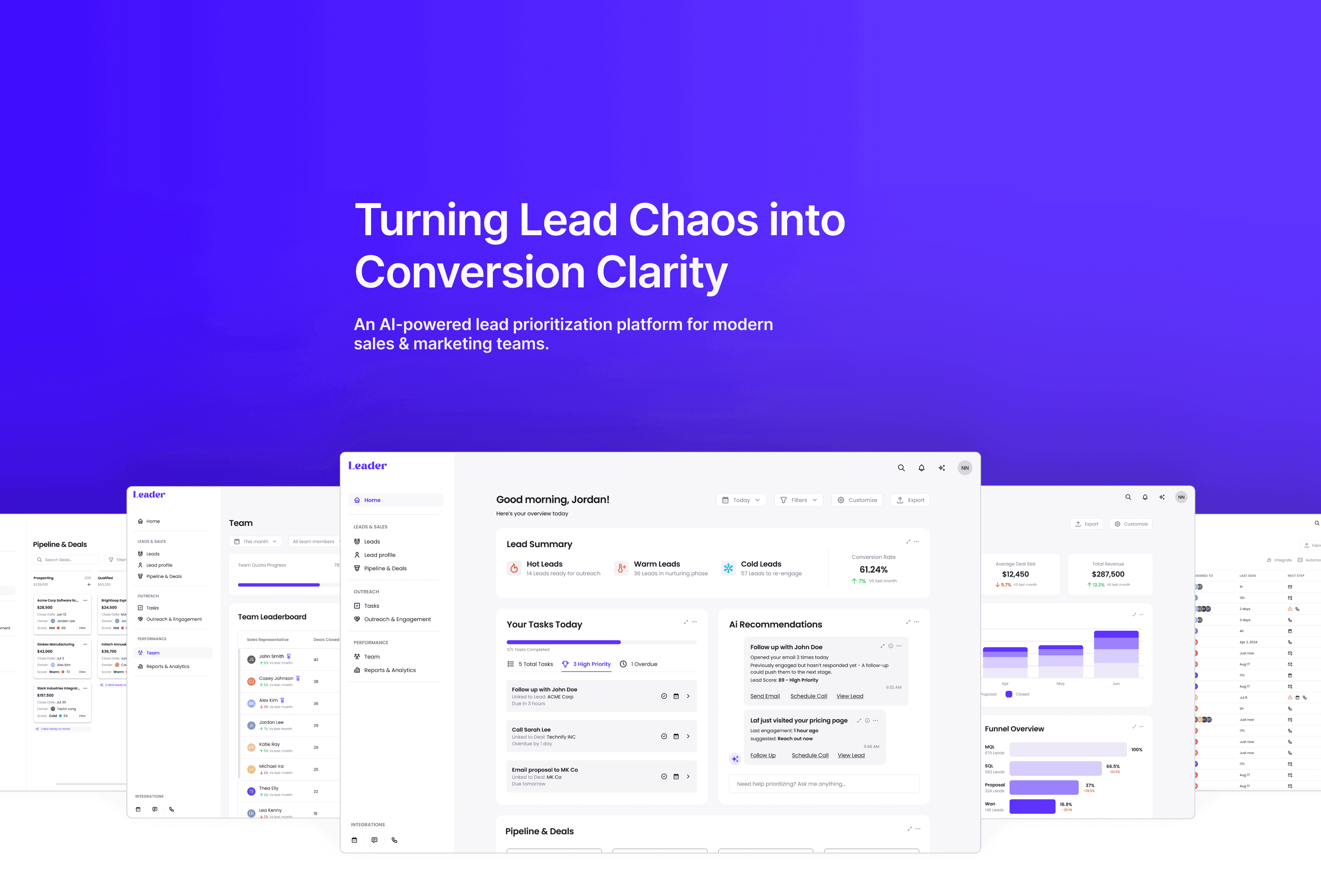
Leads were everywhere - but focus was nowhere.
Most B2B sales teams juggle dozens of prospects without clear rankings, real-time updates, or ownership. Leader was born from that chaos - a concept built to turn missed opportunities into smart, seamless workflows.
Leader is an AI-powered lead optimization platform for high-growth B2B teams. It prioritizes, enriches, and routes leads based on customizable, real-time criteria - helping teams stay aligned, act faster, and close better deals with clarity and confidence.
The Challenge
Sales teams waste valuable time chasing the wrong leads, using fragmented tools that aren't designed to adapt or scale.
My Role
End-to-end product design, from research and strategy to final UI, with a focus on building a seamless, scalable, and emotionally intelligent user experience.
Audience
Sales managers, marketing directors, CROs, and founders at B2B companies - especially fast-growing startups and mid-size tech firms.
Methods
User Research
User Journey Mapping
Competitive Analysis
Information Architecture
UI Design & System Creation
Visual Design
Project Time
4 weeks
RESEARCH & STRATEGY
User Interview
To ground this product in real needs, I conducted interviews with professionals across roles in sales, marketing, and business development. I focused on their workflows, frustrations, and what “lead quality” means in different contexts.
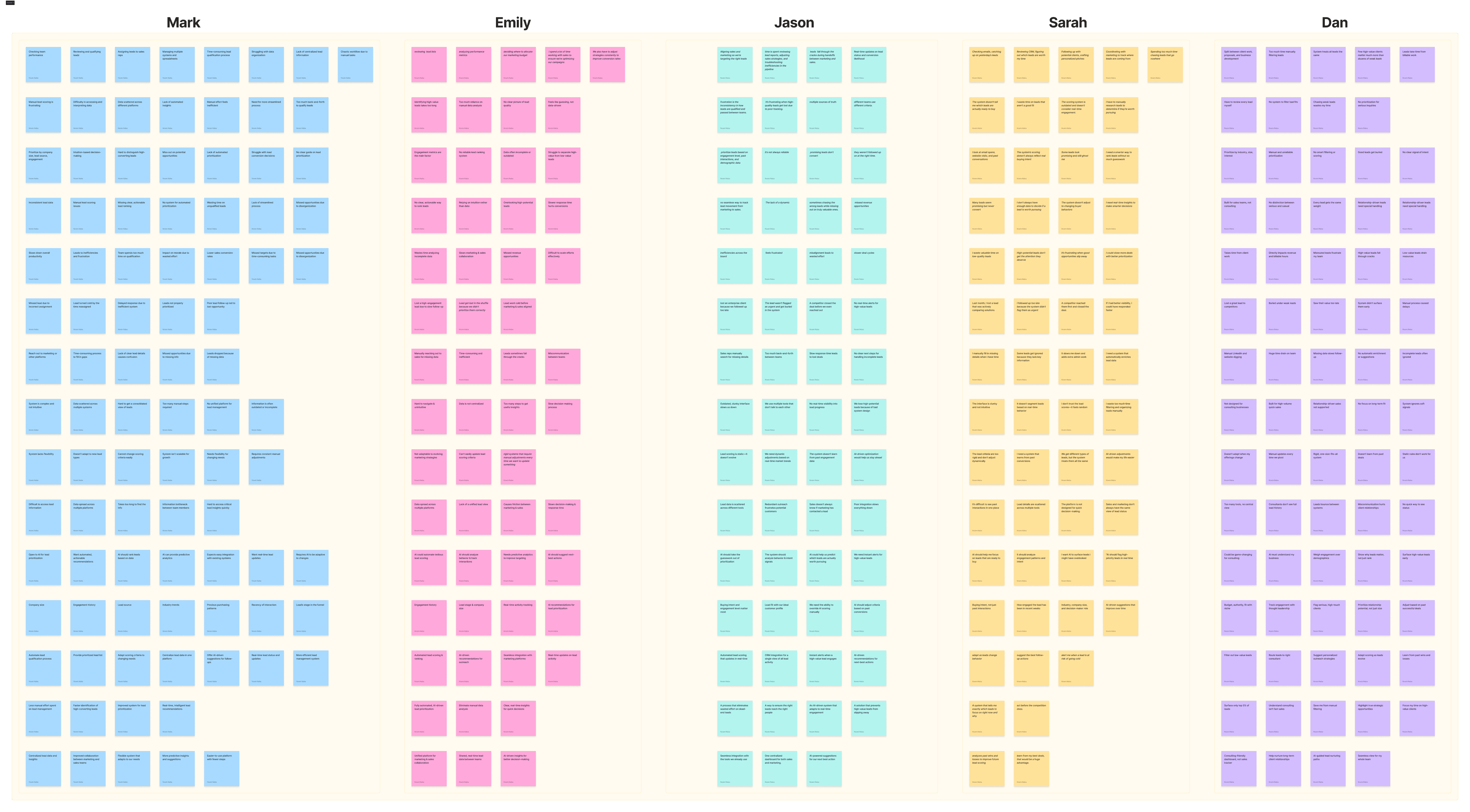
Pain Point Synthesis & Affinity Map
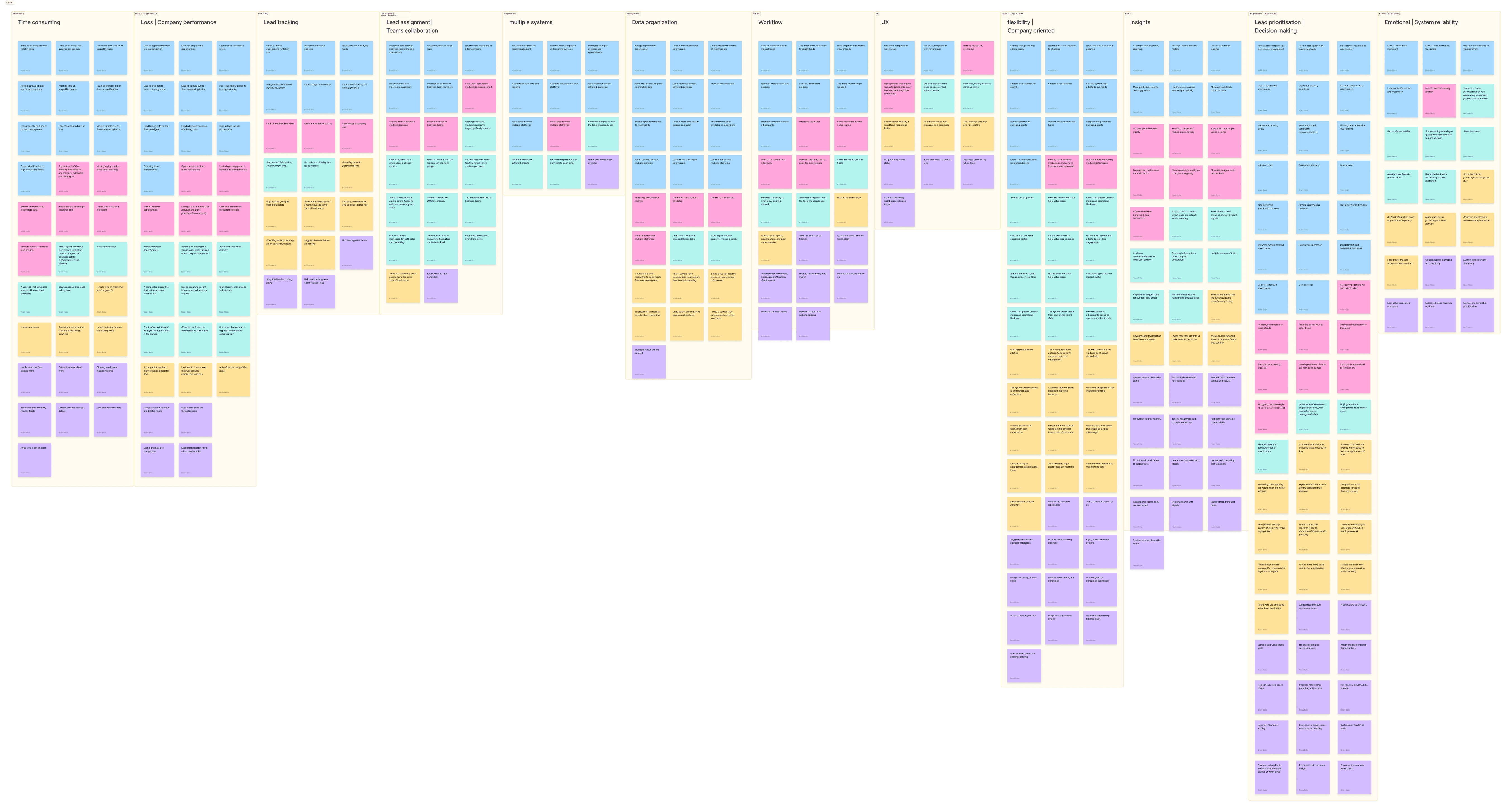
From dozens of sticky notes and quotes, I grouped insights into key themes:
• Time Waste
“Chasing low-quality leads eats up hours”.
• System Fragmentation
Leads get lost across tools
• Rigid Scoring Models
“Our lead scores never adapt - even when they should.”
• Poor Visibility
No clarity on next steps or lead status
• Handoff Breakdowns
Leads stall between marketing and sales
The People Behind the Problem
Goal
Close more high-quality leads, faster.
Work smarter & faster, not harder.
Collaborate with other teams
Frustration
Wasting time on low-fit leads
Outdated tools, manual processes
Misalignment between sales & marketing
What They Need
A real-time, AI-powered scoring system
Clear next steps and prioritization
Seamless handoff + shared context
What Success Looks Like
When defining goals, I considered both user pain points and business outcomes to ensure the solution delivered value on both sides.
• I focused on real-time prioritization, clarity, and scalability - key for fast-moving sales teams.
• On the business side, goals were tied to growth, efficiency, and lead conversion impact.
By setting clear, aligned goals early on, I was able to validate design decisions later, measure success, and ensure the product stayed focused on solving the right problems.
User Goals
• Prioritize leads dynamically, based on real-time signals
• Improve focus by spending time only on leads with real potential
• Get actionable recommendations
Business Goals
• Increase conversion rates and revenue
• Streamline operations with fewer missed opportunities
• Provide a system scalable across teams and company growth stages
Impact in Numbers (KPIs)
To define success, I focused on KPIs that aligned user efficiency with business growth. Metrics like lead conversion, time-to-close, and AI adoption helped guide the experience toward speed, clarity, and smarter decision-making.
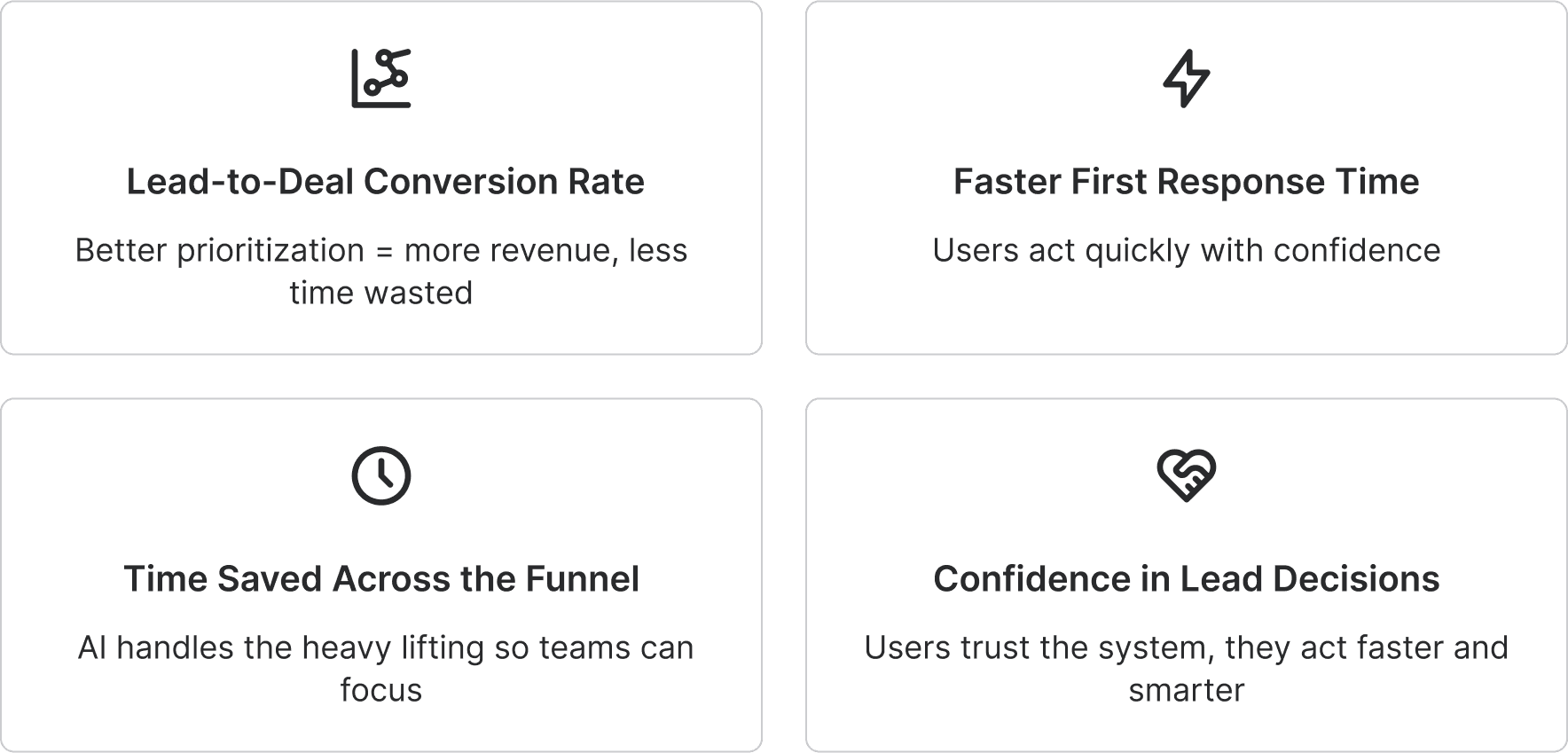
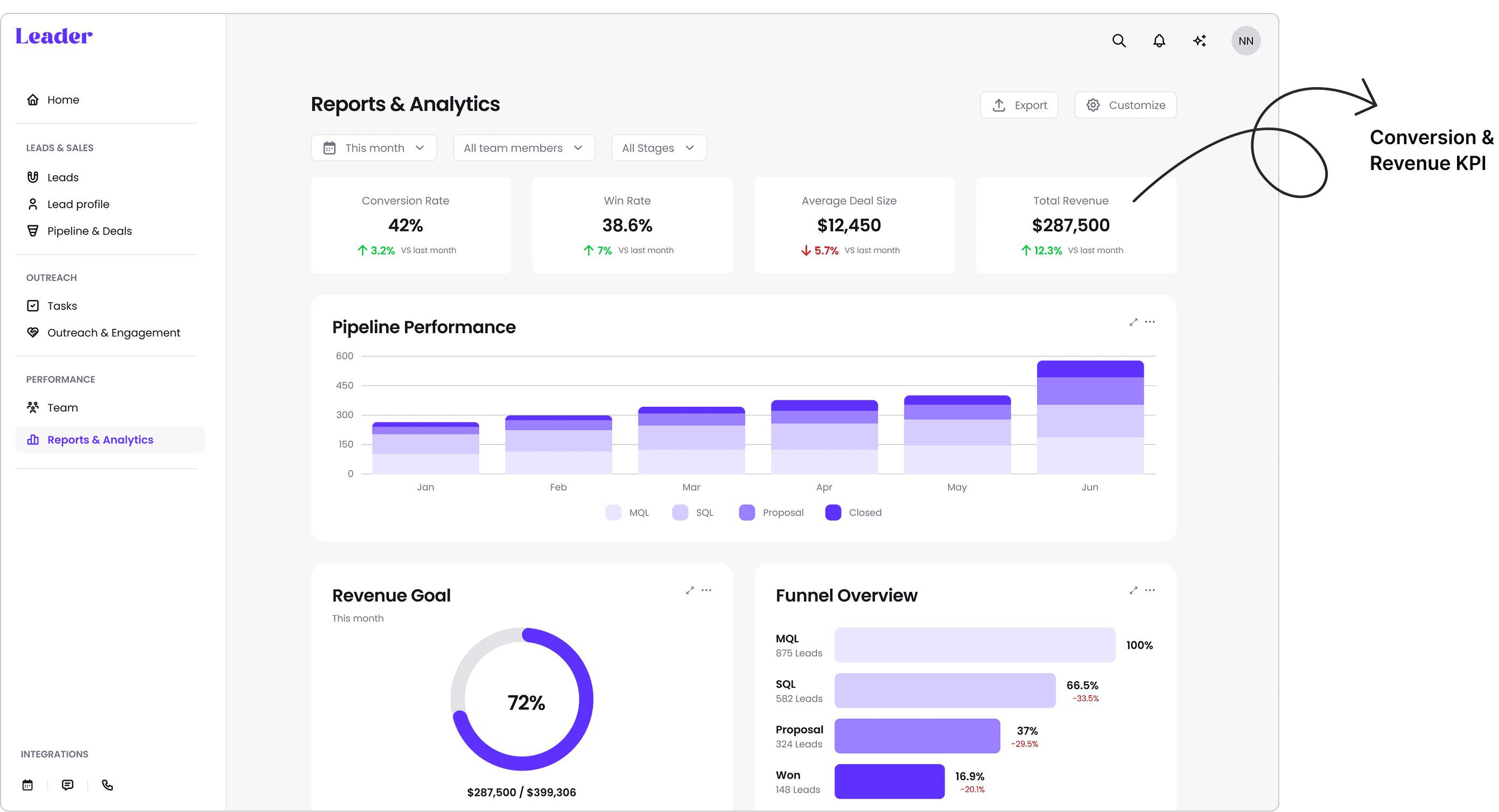
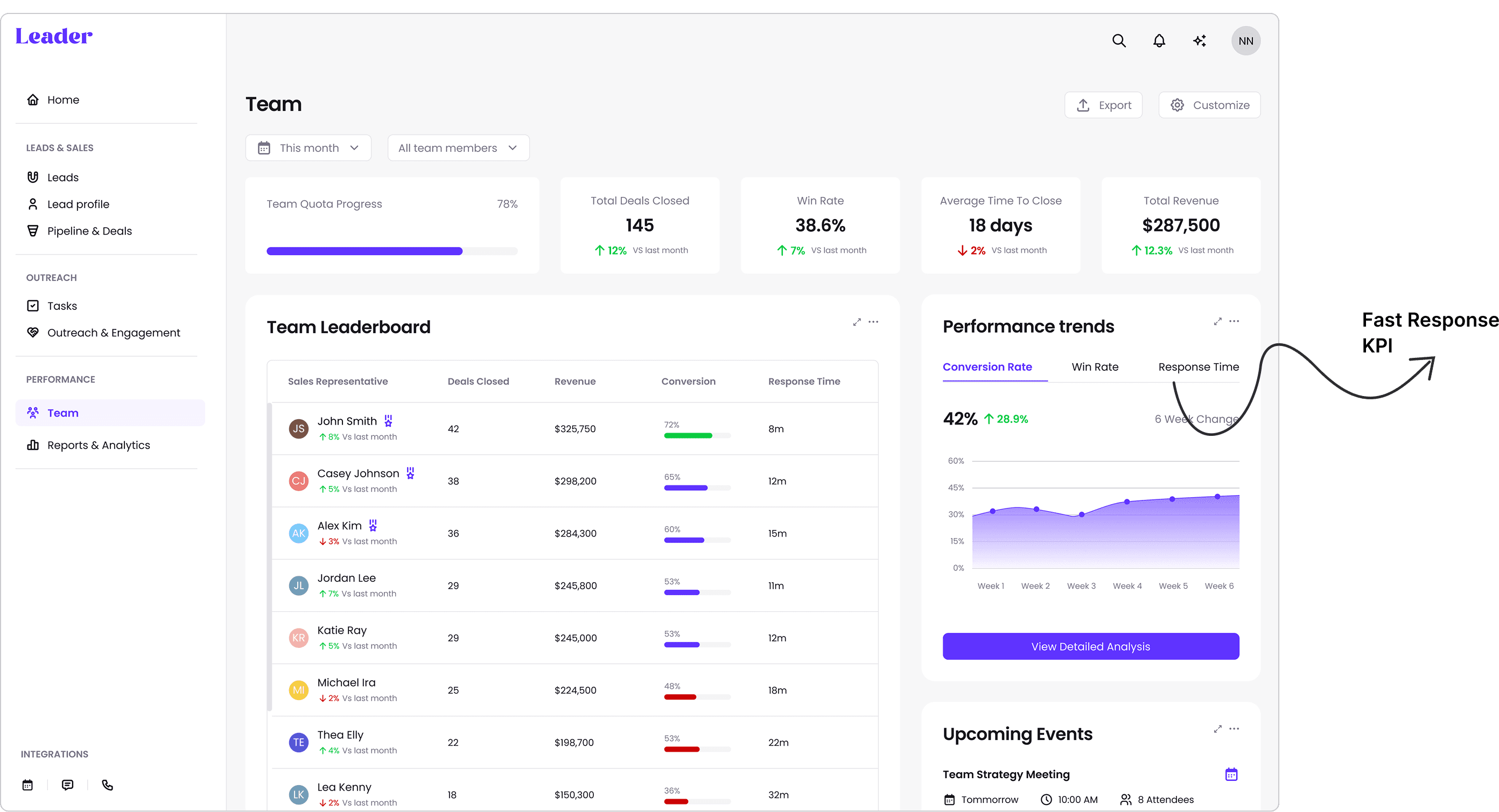
These KPIs weren’t just set - they were surfaced directly in the UI to give teams visibility into what success looks like, every day.
Turning Insights into Opportunities
Translating insights into action, I began shaping the system from the inside out - mapping the experience, exploring creative directions, and aligning every idea to the users’ core challenges.
From "Pain points" to "How might we…"
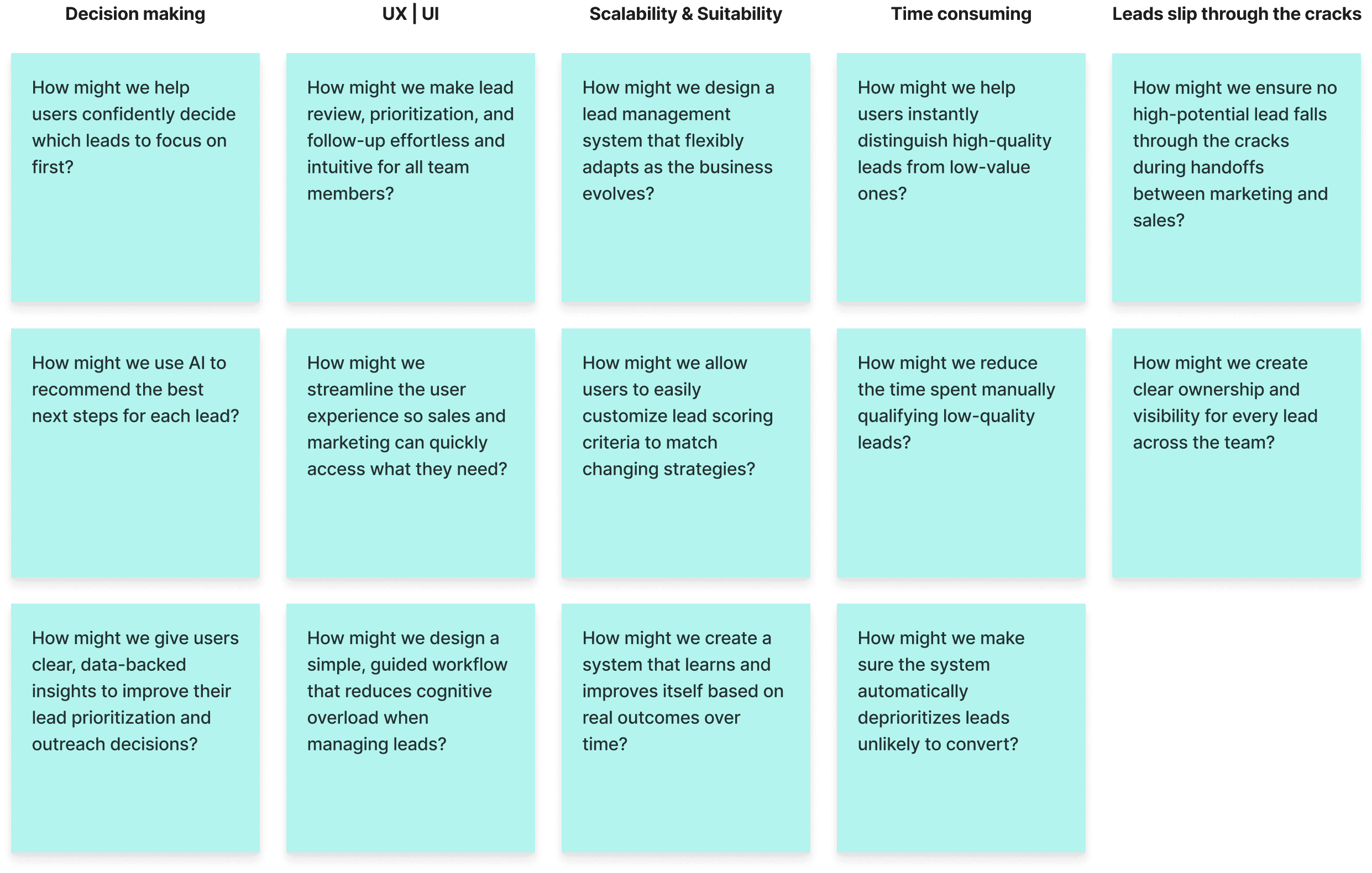
I didn’t want to just build “another CRM”. My focus was:
• Make lead scoring feel intuitive
• Provide real-time insights that are actually useful
• Balance system complexity with emotional clarity - users need to feel in control, not overwhelmed
Competitive Analysis
I studied direct and indirect competitors like: CRM & lead systems, AI-powered scoring & enrichment, indirect workflow tools used by the same personas
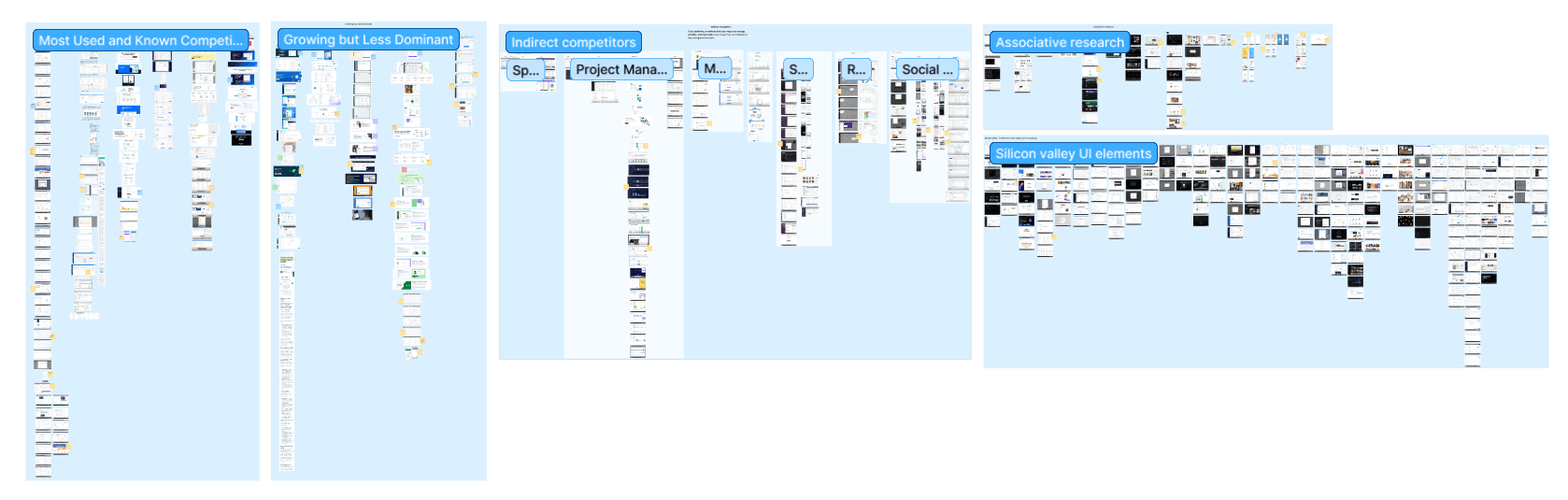
Competitive Analysis Conclusion
• Many tools overload users with raw data but lack clear prioritization
• AI is underused or poorly explained
• UX is inconsistent - complex dashboards, weak handoffs between marketing & sales
This helped me identify UX/UI gaps to improve and innovate on.
Information Architecture
I mapped the system architecture to align with user goals, ensure clarity, and support scale.
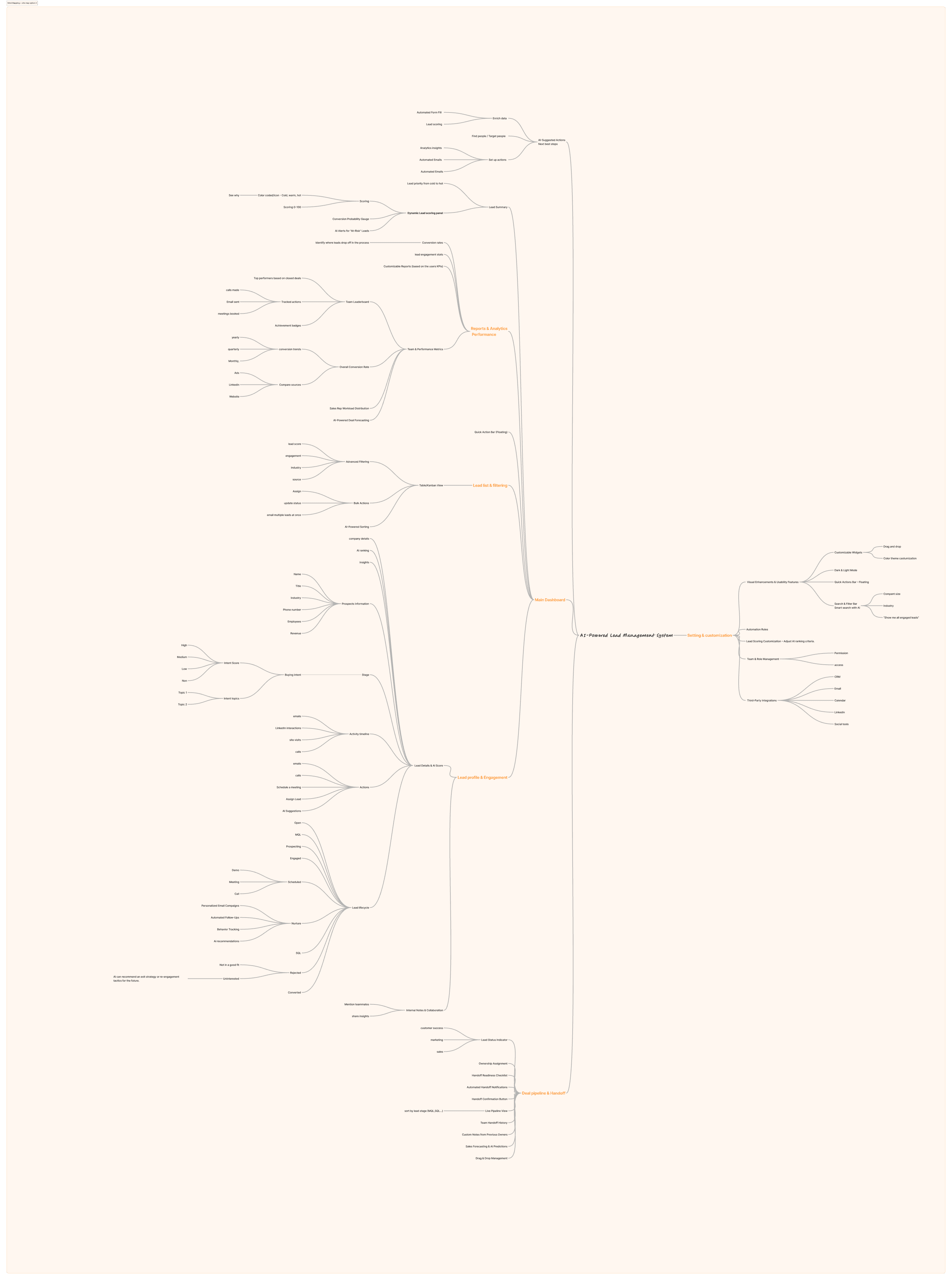
Site Map
Early Exploration & Concept Sketches
To explore layout ideas, flows, and feature prioritization, I sketched multiple directions for the product’s architecture and dashboards. This helped test ideas quickly before committing to UI.
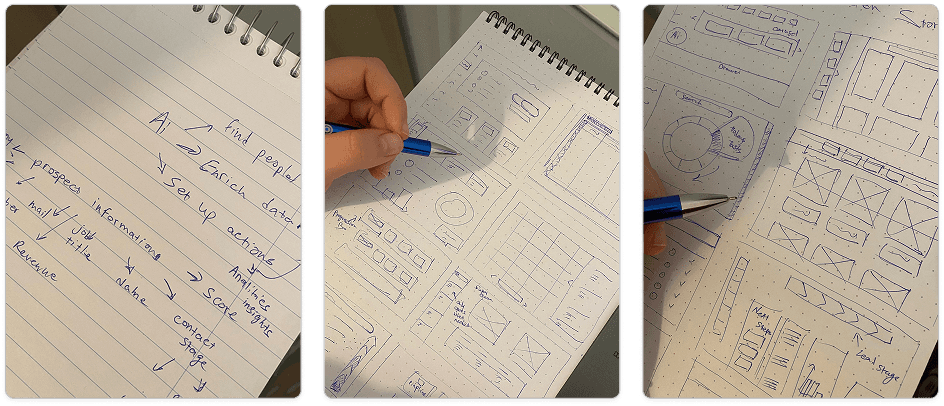
Low Fidelity Sketches
After exploring broad directions, I shifted focus to concrete screen structures aligned with key task flows and system logic.
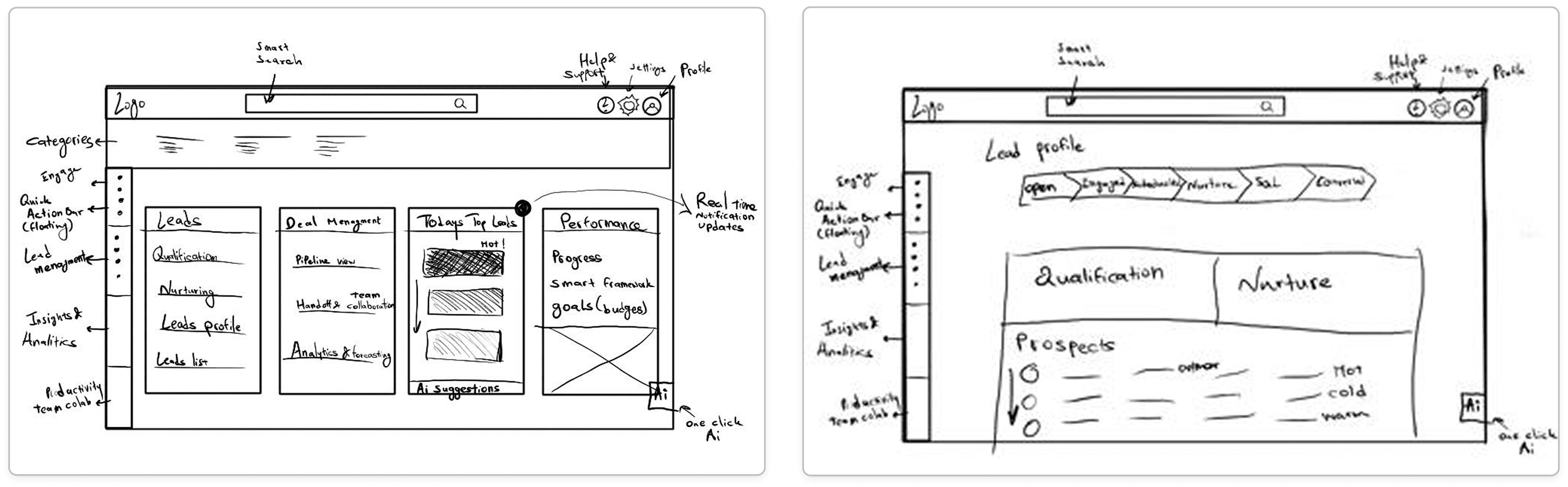
DESIGN EXECUTION | Additional screens
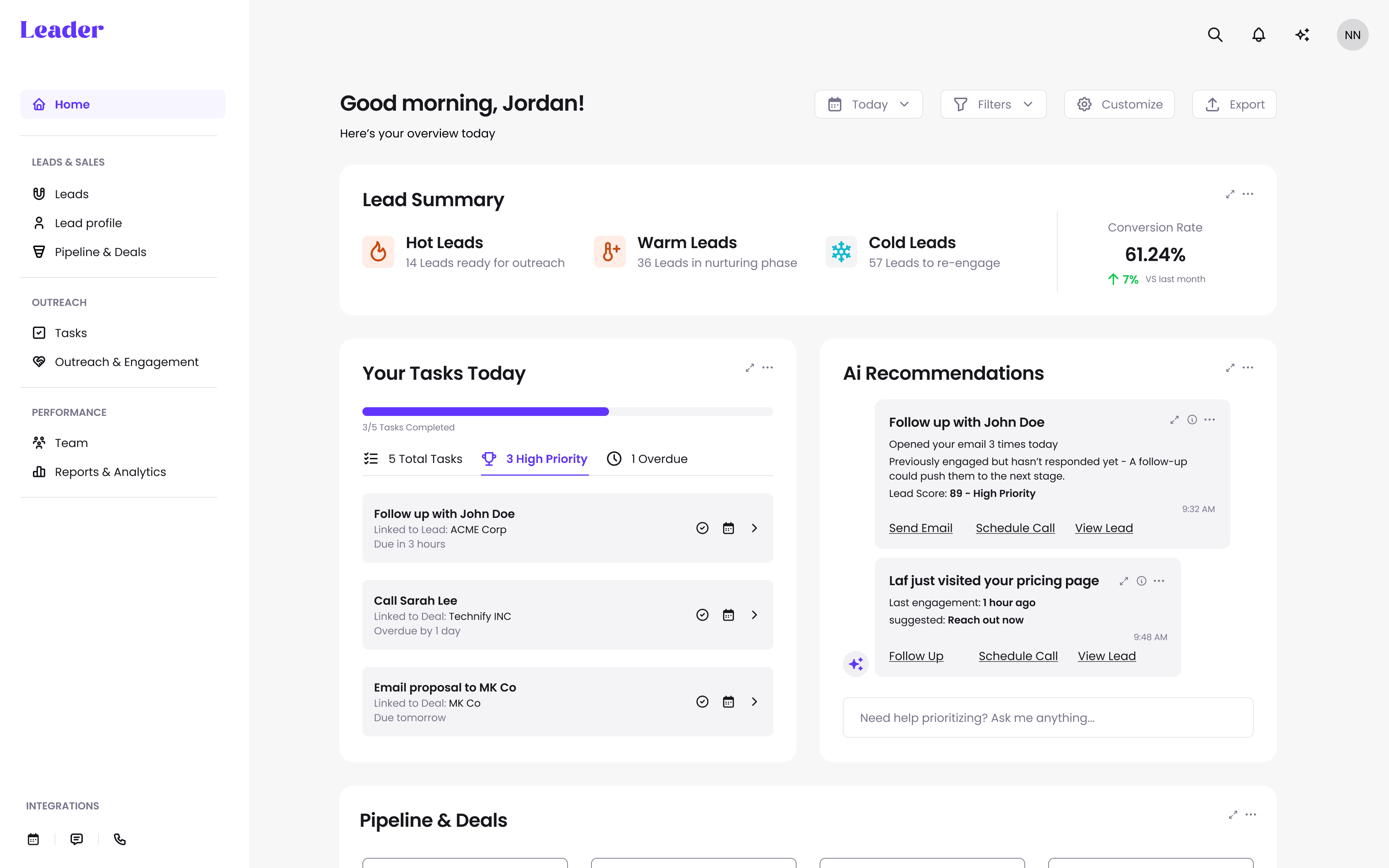
Home Dashboard
Designed to give sales and marketing teams a snapshot of what matters most: AI-ranked leads, key performance stats, and action-ready tasks - all at a glance.
Home Dashboard
• Clarity over complexity
• Introduced AI Recommendations as an inviting card
• Variety of cards (tasks, score summary, pipeline) to create modular hierarchy and support responsive scaling
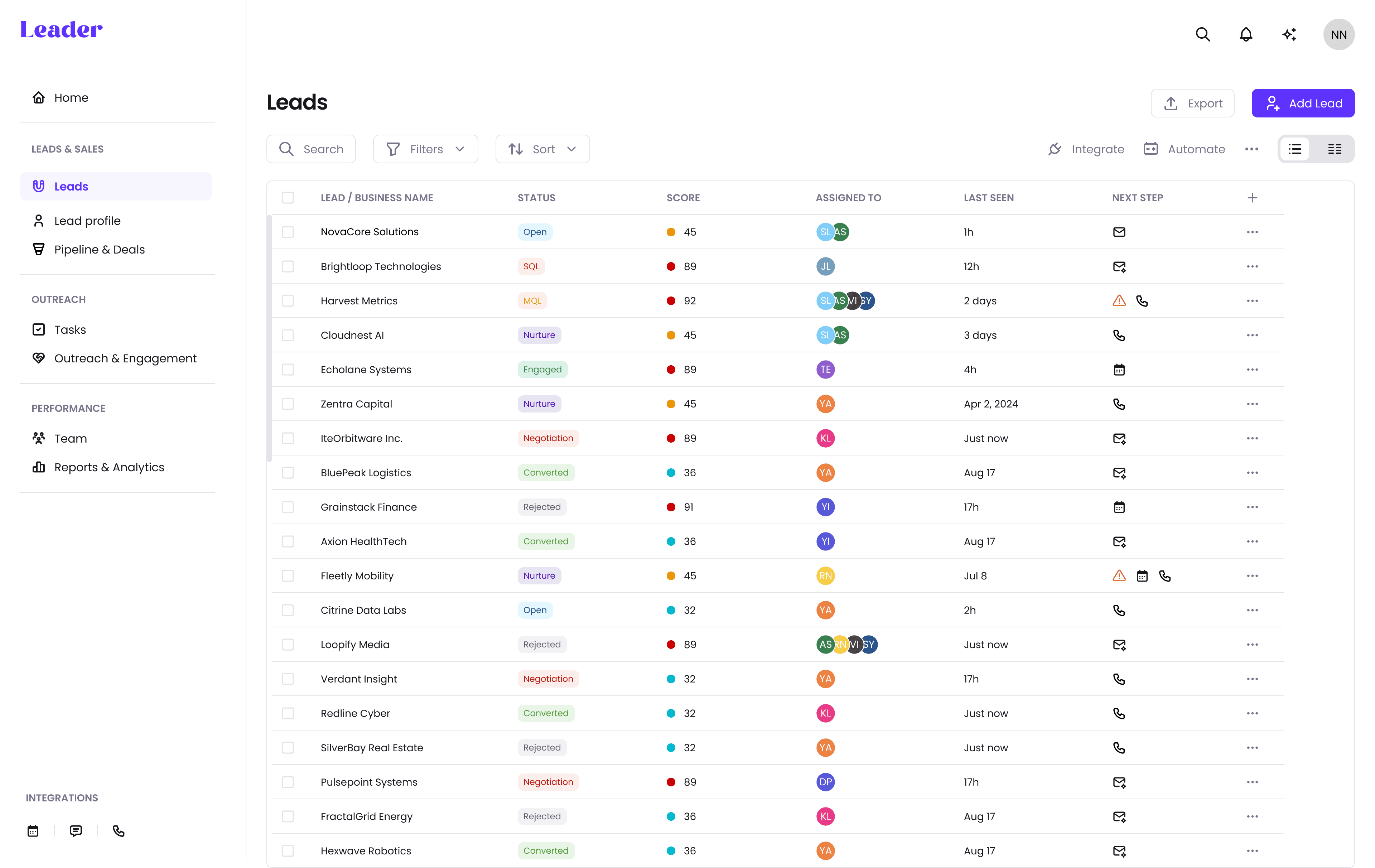
Lead List
A clean, scannable table that adapts to lead status, urgency, and score - empowering users to act quickly with full context.
Key design decisions:
• Color-coded lead scores
• Made columns customizable and sortable
• Included “Next Step” and “Last Touch” columns to support decision-making
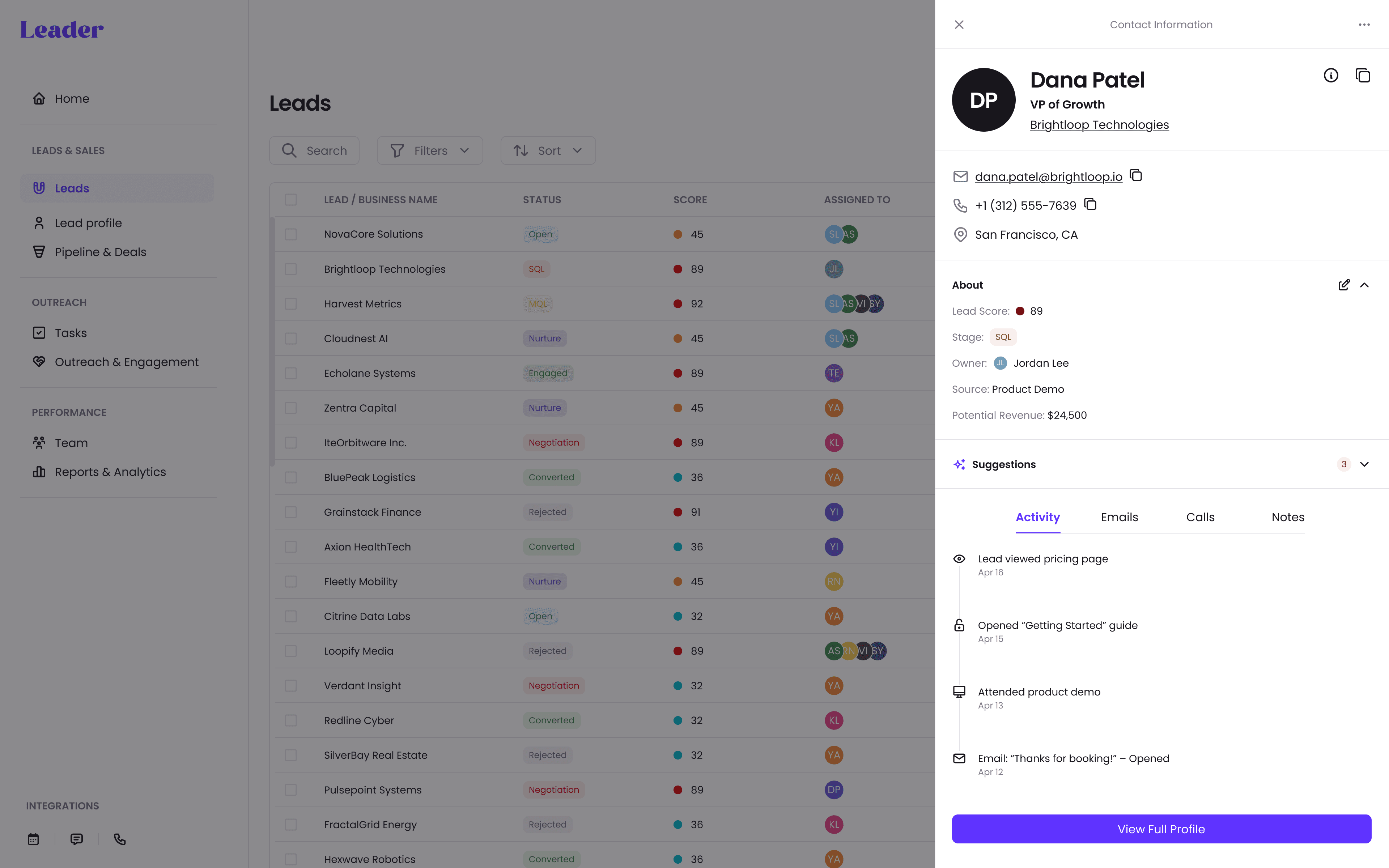
Lead Profile Drawer
Designed as a flexible drawer to preview a lead without losing your place, with an option to expand into full-page deep view.
Key design decisions:
• Split layout: Left = overview + activity, Right = history, notes, contact, timeline
• Added inline editing + smart tags
• Consistent CTA placement for “View Full Profile” or “Take Action”
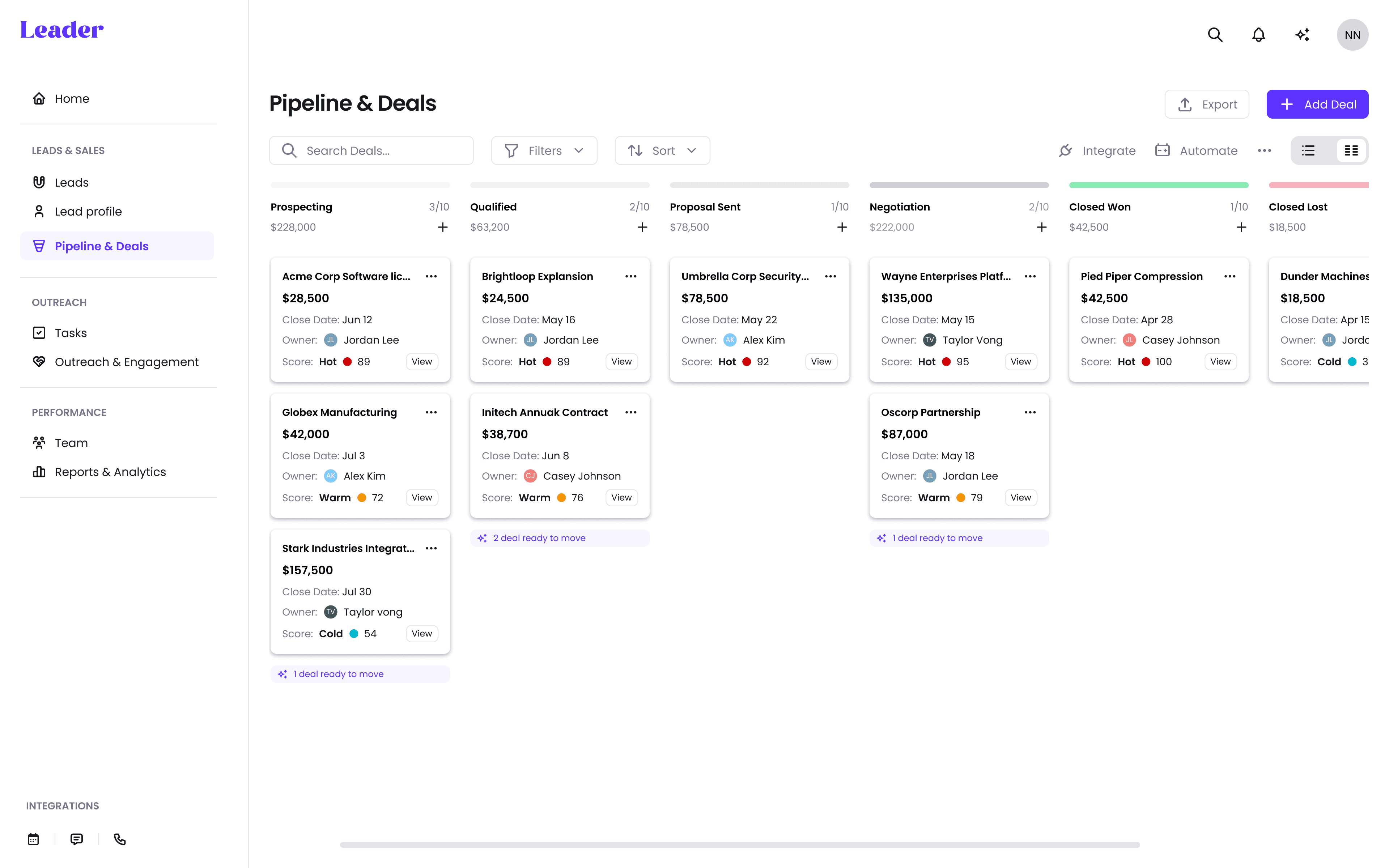
Pipeline & Deals
A kanban-style pipeline for tracking deal movement through custom stages.
Key design decisions:
• Horizontal scroll with fixed column width for better deal scanning
• Embedded card details (value, stage, rep owner) without overwhelming
• Created clear CTA for updating stage + adding notes, right from the card
OUTCOME & REFLECTION
The result is a platform that:
• Surfaces the right leads at the right time
• Helps reps act faster and more confidently
• Aligns teams through a shared source of truth
• Scales with changing priorities and criteria
• Feels clean, modular, and unintimidating - even for complex systems
If Launched, Success Would Be Measured By:
• Time saved on lead prioritization
• Improved lead focus + faster responses
• Smoother collaboration across teams
• More clarity in lead insights & next steps
• Increased revenue from qualified leads
• Higher conversion + close rates
• Shorter time-to-close
• Greater retention and feature adoption
What I’d Improve or Explore Next
User testing and iteration: I’d conduct usability tests with real sales teams to validate core flows like scoring logic, filters, and AI recommendations.
Mobile version: A lightweight companion app for on-the-go reps would increase flexibility and adoption.
Handoff automation: Improving the marketing-to-sales transition further with auto-routed tasks and smart alerts.
Reflection & learnings
This project deepened my ability to design for scale and systems. It challenged me to turn complex user pain points into modular components and data-driven workflows, while keeping the experience intuitive and clear.
Working with scoring and AI revealed something critical: trust requires transparency. Every insight needs to feel earned and explainable.
Finally, designing for B2B meant solving for multiple roles at once - aligning the goals of sales, marketing, and leadership into a single, focused platform.
Thanks for scrolling!
Want to work together? - let's talk.
Next project